
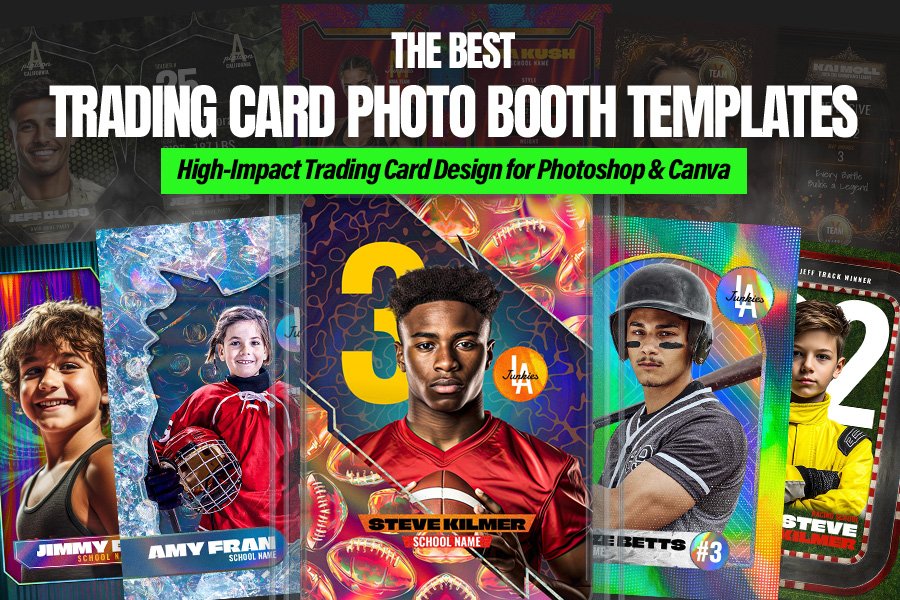
Whether you run a busy trading card photo booth at tournaments or you’re an event planner building unforgettable activations, a great trading card template can turn a quick snapshot into a pro-level keepsake guests actually keep. In this list of the 15 Best Trading Card Templates, you’ll find Photoshop PSD and Canva-ready designs made for sports nights, school spirit events, and photo booth businesses that need fast edits and consistent results.
We’re focusing on collector-style layouts that highlight the athlete, jersey number, and stats—perfect for everything from a youth sports trading card set to a high-impact photo booth sports card giveaway. Expect options for football, basketball, hockey, racing, and versatile card styles that work as a team player card template for nearly any roster. Each pick is designed to be easy to customize, print-friendly, and polished enough to feel like it came straight from a hobby pack.
Planning a full event package? Pair your sports photo booth template with strong promo graphics like this Fight Night sports event template or a bold nightlife-style announcement such as the Guest DJ live performance flyer template for after-parties and ticketed add-ons.
1. Racing Car Driver Trading Card Photo Booth Template
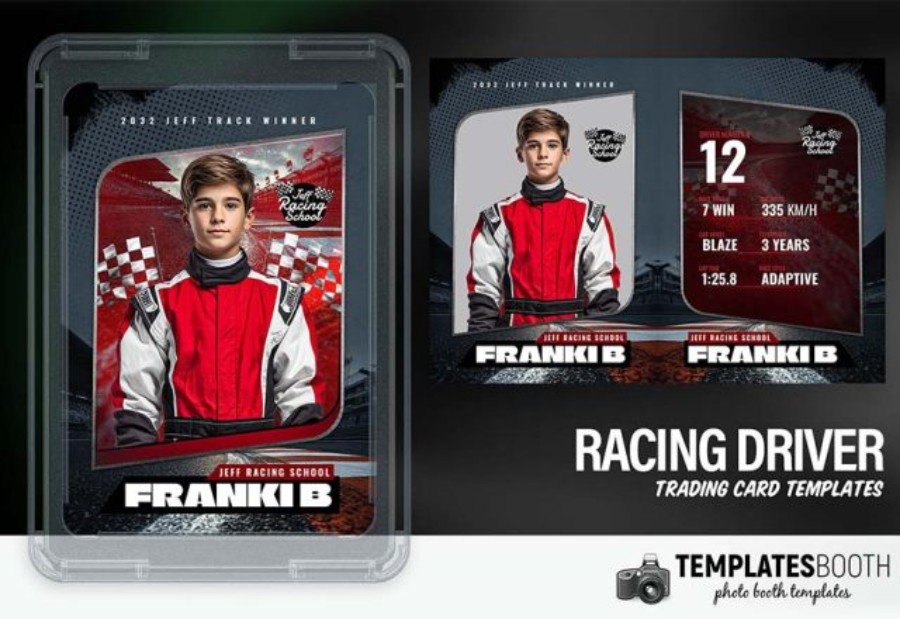
Checkered flags, asphalt grit, and a deep red/black palette give this Racing Car Driver Trading Card Photo Booth Template a true motorsport vibe—perfect for turning a portrait into a “race-day” collectible. Made for Photoshop, the PSD is layered for quick swaps: drop in the driver photo, edit the large number, team/school name, and add performance-style details like wins, top speed, lap time, or experience years. Photo booth business owners can produce consistent cards fast, while event planners and photographers can tailor it for karting parties, racing schools, pep rallies, and sponsor nights. Sports teams and fan communities will love the front-and-back layout for full-roster sets and shareable digital keepsakes.
2. Sport Player Trading Card Photo Booth Template
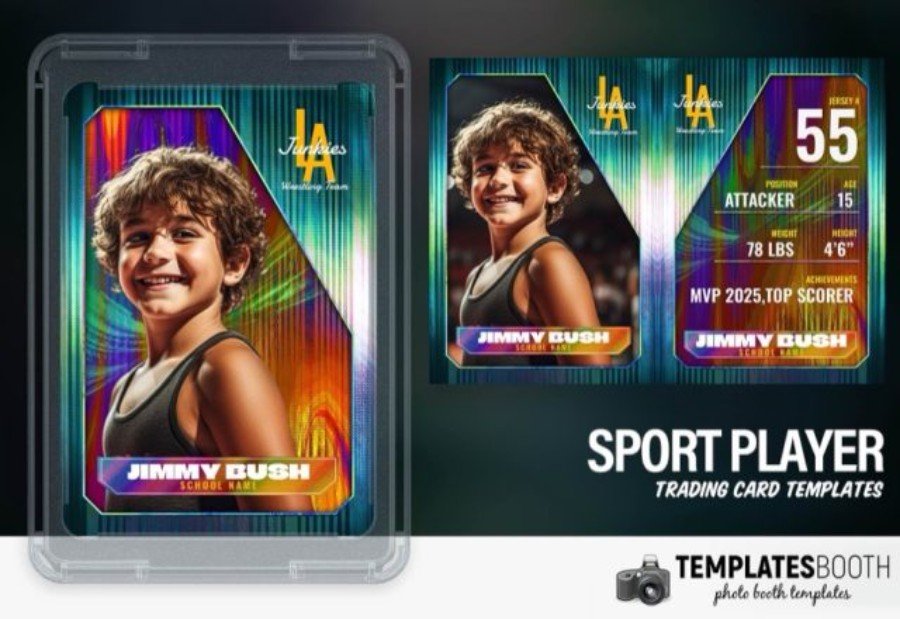
If you want one trading card design that can flex across nearly any sport, this Sport Player Trading Card Photo Booth Template nails it. The look is modern and high-contrast, with prismatic color streaks, sharp geometric framing, and a clean hierarchy that keeps the athlete photo front and center. In Photoshop, you can quickly personalize key fields—player name, jersey number, position, age, stats, and achievements—making it a practical pick for photo booth business owners handling busy event lines. It also suits coaches, schools, and fan communities creating full-roster collectibles for banquets, tournaments, spirit nights, or digital share packs.
3. American Football Trading Card Photo Booth Template
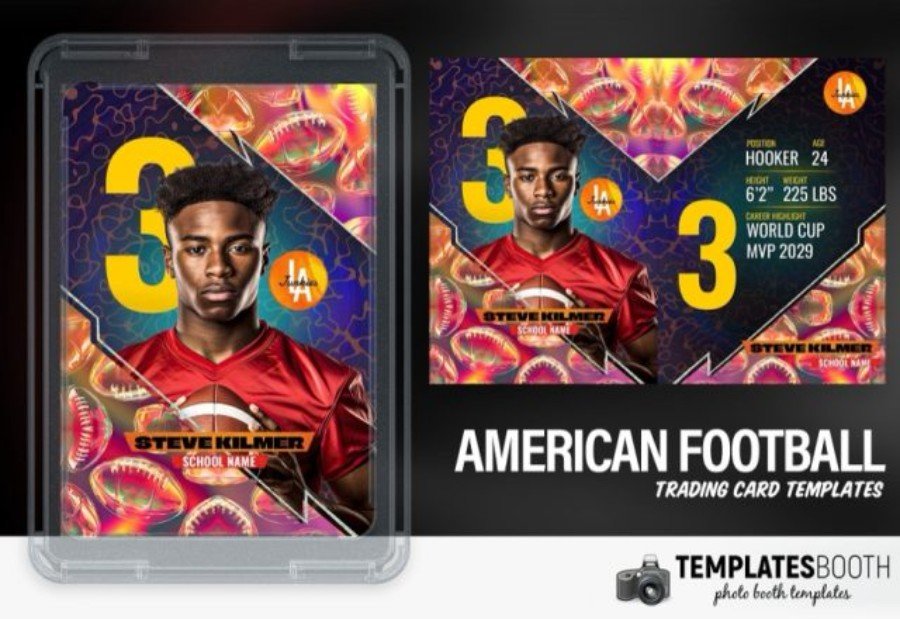
Go beyond a standard “team photo” and hand guests a card that looks like it came straight from a highlight reel. This American Football Trading Card Photo Booth Template for Photoshop features an eye-catching foil-style pattern, a strong diagonal composition, and oversized number placement that makes each player instantly recognizable. The front spotlights the portrait and name, while the back is built for quick personalization—position, age, height, weight, and achievements are laid out in easy-to-edit sections. Ideal for photo booth business owners working fast queues, plus event planners, photographers, school programs, and fan groups creating full-roster collectibles for banquets, senior nights, and game-day activations.
4. Ice Hockey Trading Card Photo Booth Template
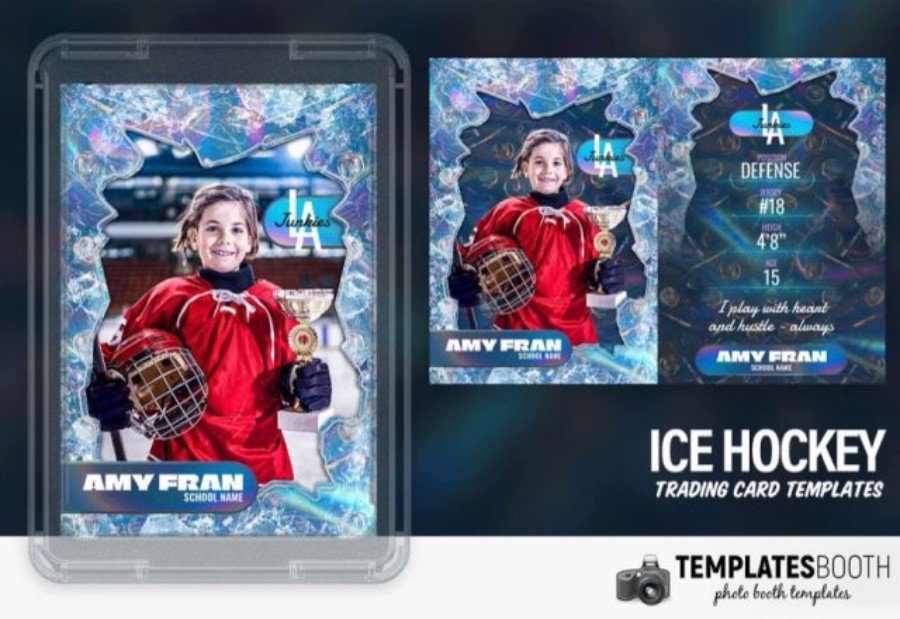
Frosty textures, cracked-ice edges, and a cool blue palette give this Ice Hockey Trading Card Photo Booth Template an instant rink-side vibe. Created for Photoshop, it’s ideal for photo booth business owners who need a repeatable workflow: drop in the player photo, update the name bar, and customize the back-of-card details like position, number, height, and a short motto. Event planners and photographers can use it for tournament weekends, team banquets, fundraising nights, and school spirit events—delivering a collectible-style keepsake that looks cohesive across an entire roster. Layered elements keep edits quick and consistent.
5. Racing Track Trading Card Photo Booth Template
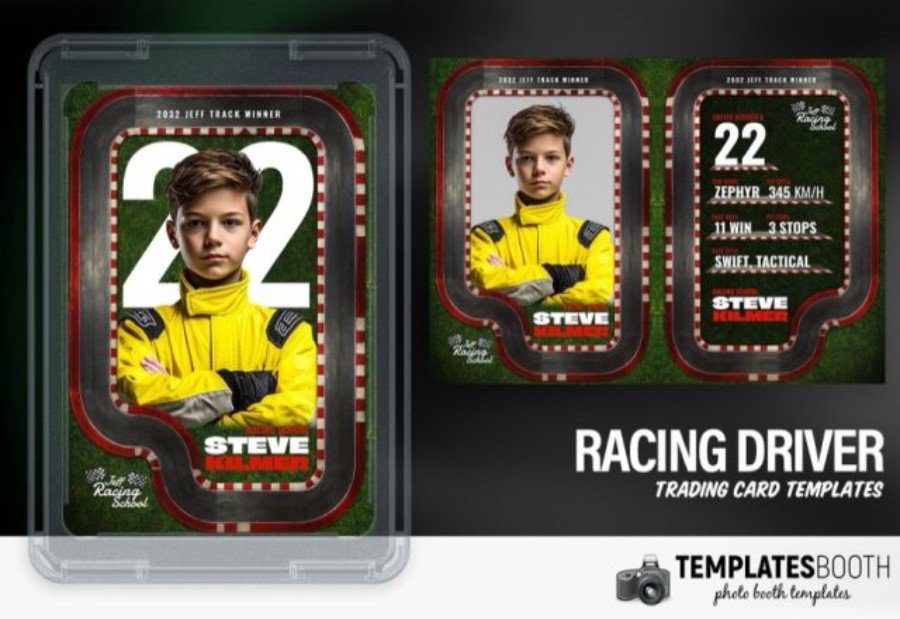
Built to feel like a real race credential, this Racing Track Trading Card Photo Booth Template turns portraits into track-day collectibles with instant visual context. The design uses a rounded “badge” frame, a bold oversized car number, and a red-and-white curbing border set over grass/track textures—perfect for karting parties, racing schools, and motorsport-themed fundraisers. As a Photoshop template, it’s easy for photo booth business owners to customize quickly: swap the photo, change the number, update the driver name, and edit stats such as top speed, wins, or pit stops on the back. Event planners, photographers, and school sports groups can create consistent sets for teams, winners, or full rosters.
6. Military Trading Card Photo Booth Template
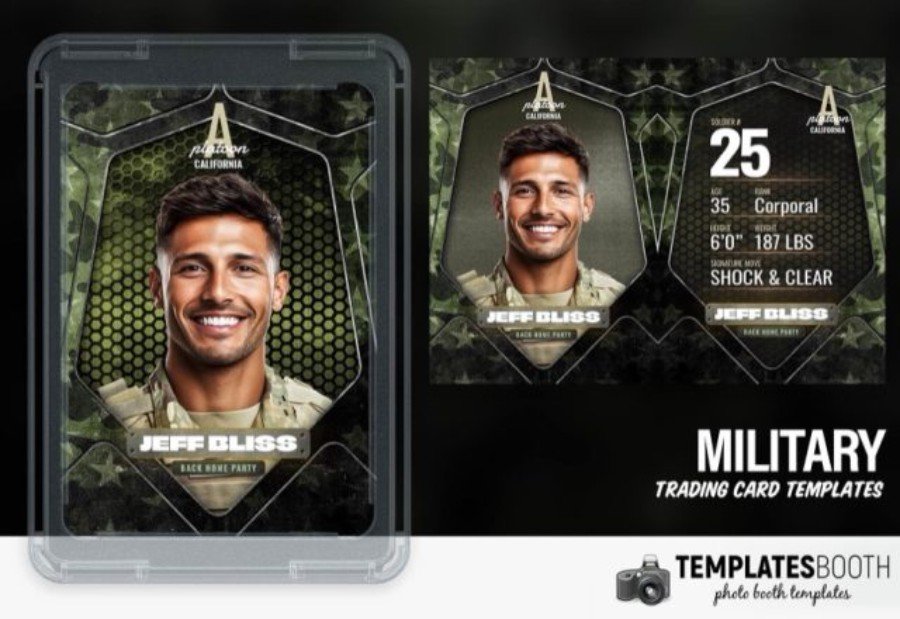
Designed with a rugged, mission-ready look, this Military Trading Card Photo Booth Template is a standout choice for homecoming celebrations, unit parties, veterans events, and patriotic school functions. Built for Photoshop users, it features a high-impact portrait frame, camo-inspired textures, and a structured info block for rank, ID number, height/weight, and custom callouts—so each guest gets a personalized “service card” keepsake. Photo booth owners and event planners will appreciate the clearly organized layers for quick swaps of names, colors, and text, while photographers can batch-produce consistent cards for teams, groups, or large crowds.
7. Fantasy Trading Card Photo Booth Template
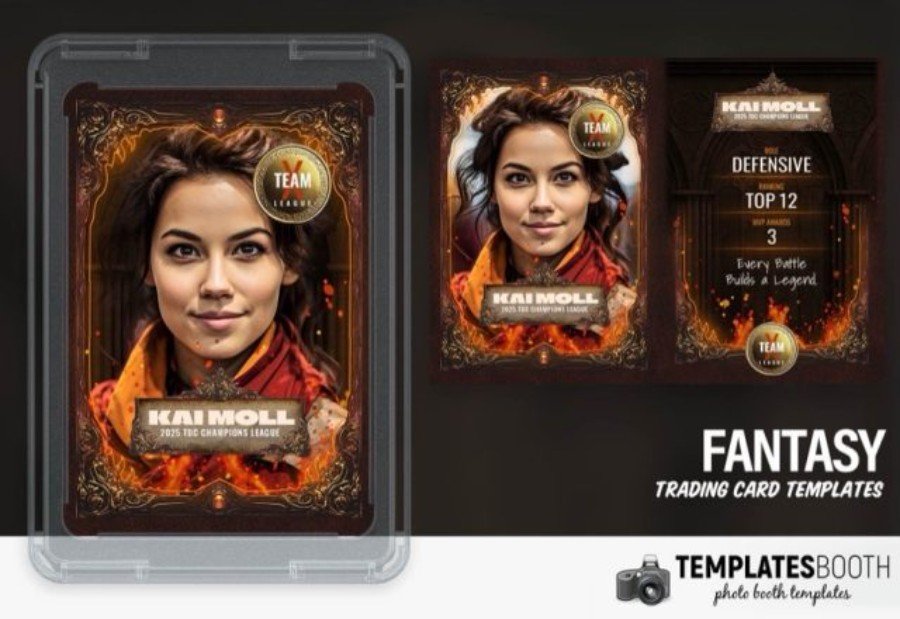
Swap “player stats” for pure storytelling with this Fantasy Trading Card Photo Booth Template for Photoshop. It leans into an epic, collectible-card aesthetic—ornate frames, ember-like highlights, and a cinematic portrait window that instantly turns guests into heroes, mages, or champions. Photo booth business owners can keep lines moving thanks to an organized PSD setup: drop in the photo, update the nameplate, adjust the guild/team badge, and edit the power-style attributes on the back. Event planners and photographers will love it for themed parties, school spirit nights, cosplay gatherings, and fan community events where a standard sports card just feels too ordinary.
8. Esport Trading Card Photo Booth Template
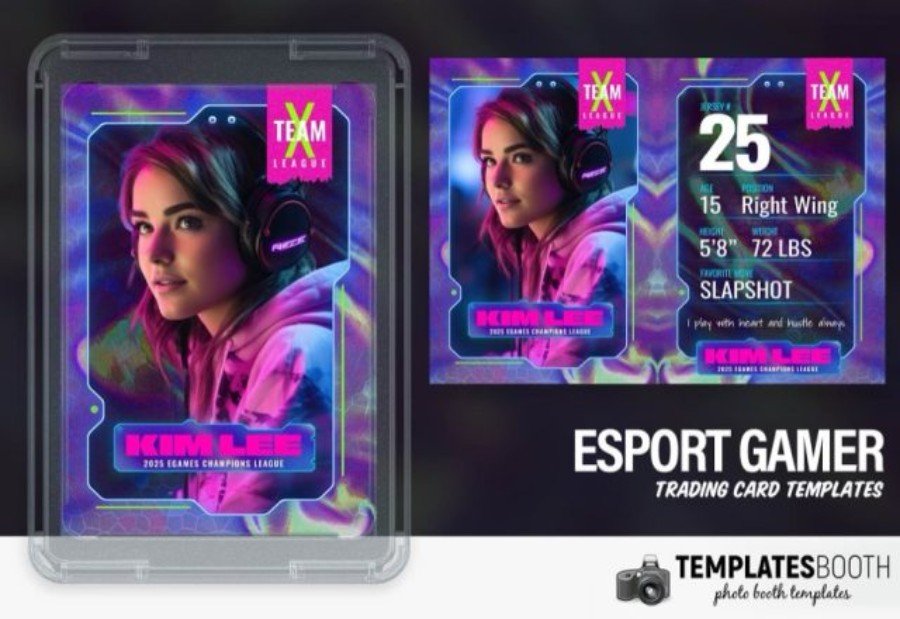
Neon glow meets competitive edge in this Esport Trading Card Photo Booth Template, a Photoshop PSD built for gaming nights, school esports clubs, and tournament photo ops. The design channels a futuristic UI feel—electric gradients, holographic patterns, and a glassy card frame that makes portraits look instantly “pro.” Personalization is straightforward: replace the gamer image, switch out the team mark, and edit key fields like gamer tag, role, number, height/weight, and a signature move or tagline. For photo booth business owners and event photographers, it’s a slick way to produce consistent, collectible cards for full rosters or walk-up guests.
9. MMA Fighter Trading Card Photo Booth Template
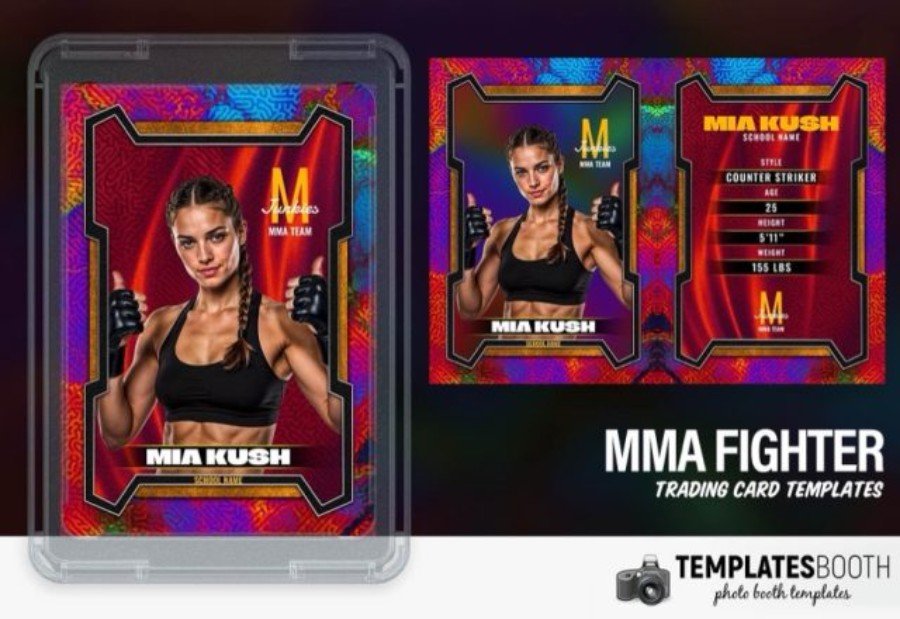
For a hard-hitting photo booth takeaway, this MMA Fighter Trading Card Photo Booth Template delivers a bold, arena-style presentation that instantly sells the “walkout” moment. Built as a layered Photoshop PSD, it gives photo booth business owners a fast edit path: drop in the fighter portrait, update the nameplate, and customize the back with clean fields for fighting style, age, height, and weight. The design leans into intense color, metallic framing, and energetic texture—great for fight-night parties, gym promos, school spirit events, and fan meetups. Event planners and photographers can produce consistent cards for individuals or full teams without rebuilding the layout each time.
10. Golf Trading Card Photo Booth Template
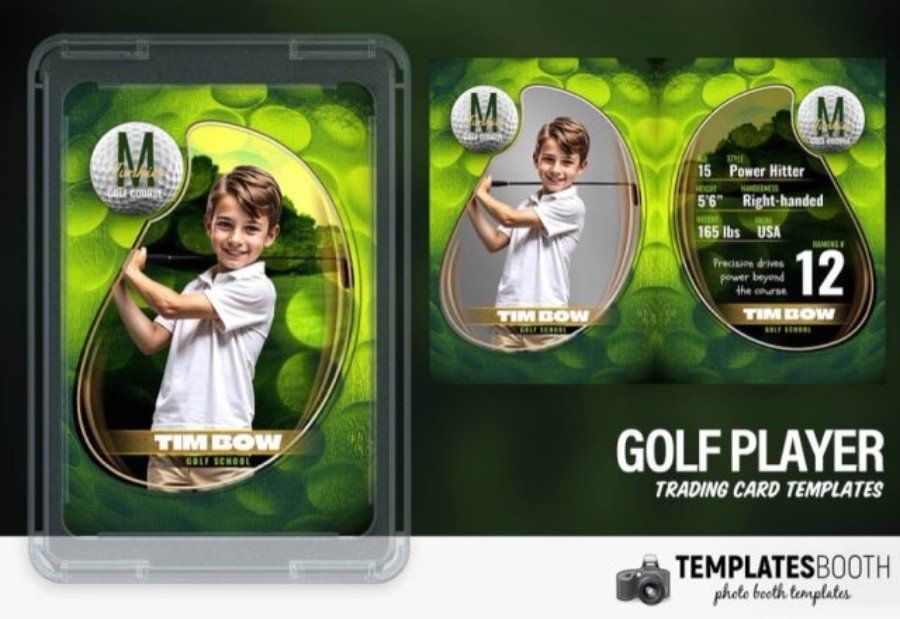
Put your golfers on a “pro card” guests will actually want to keep. This Golf Trading Card Photo Booth Template (Photoshop PSD) blends course-inspired greens with a polished portrait cutout and a stat-style panel that’s perfect for junior leagues, school golf teams, charity scrambles, and tournament check-ins. Photo booth business owners can move quickly—drop in the photo, update the player name, then customize details like handedness, height, hometown, and a standout trait. Event planners and photographers will appreciate the clean layout that reads well in print or as a digital takeaway, making it easy to create consistent cards for an entire roster.
11. Basketball Trading Card Photo Booth Template
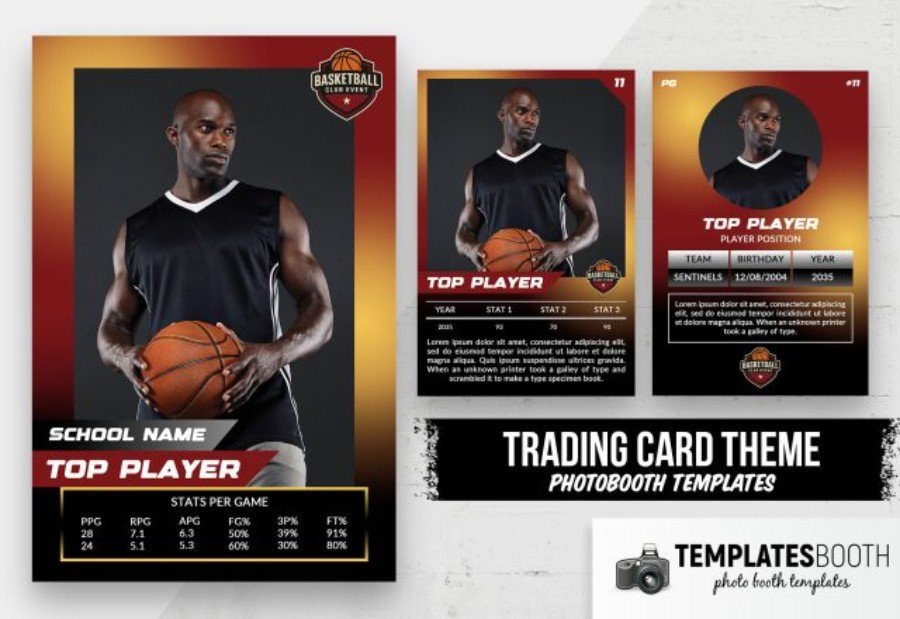
Bring game-night energy to your photo booth with this Basketball Trading Card Photo Booth Template for Photoshop. The layout pairs a bold player portrait with a warm court-inspired gradient, crisp badges, and stat panels that make every guest feel like the star of the roster. Swap in a team name, school, jersey number, and position, then update the stats table for tournaments, pep rallies, senior nights, or birthday hoops parties. Clean typography and clearly separated sections keep editing fast, while the vertical card format is ideal for print handouts, digital sharing, or event keepsakes.
12. Football Trading Card Photo Booth Template
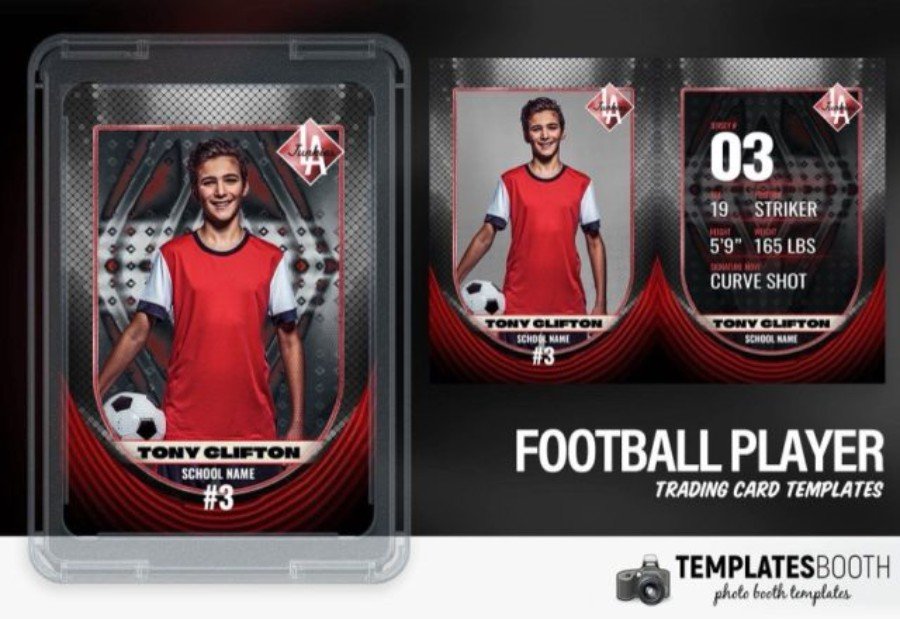
Turn sideline photos into a collectible keepsake with this Football Trading Card Photo Booth Template for Photoshop. The design has a gritty, stadium-at-night feel—carbon-fiber texture, bold red accents, and a dramatic portrait frame—plus a matching back that reads like a real player card. It’s a smart pick for photo booth business owners who need quick personalization: swap the image, edit the player name, school/team, number, position, and key details like age, height, and weight. Event planners, photographers, and school sports programs can use it for team banquets, tryouts, senior night, spirit events, or fan giveaways with consistent, pro-looking results.
13. Baseball Trading Card Photo Booth Template
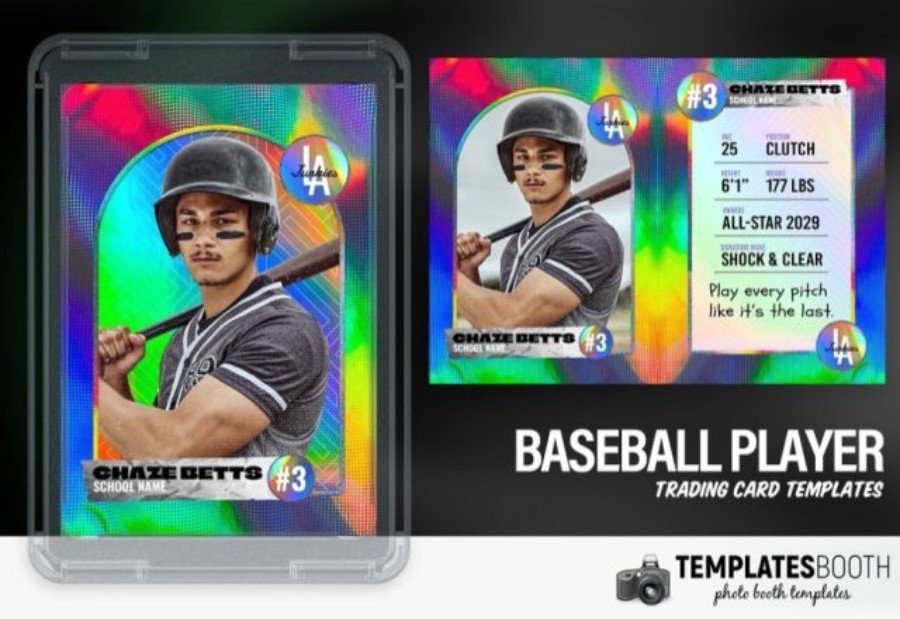
Need a baseball card look that screams “collector edition” the moment it prints? This Baseball Trading Card Photo Booth Template for Photoshop uses a vivid rainbow foil background, a clean portrait cutout, and a stat-first back design that feels straight out of a hobby pack. It’s ideal for photo booth business owners running fast lines—replace the photo, update the player name, team/school, and number, then tweak quick-hit fields like height, weight, age, and a custom tagline. Event planners, photographers, and school sports programs can use it for opening day, senior night, banquets, tournaments, and fan nights with a consistent, high-impact finish.
14. Basketball Trading Card Photo Booth Template
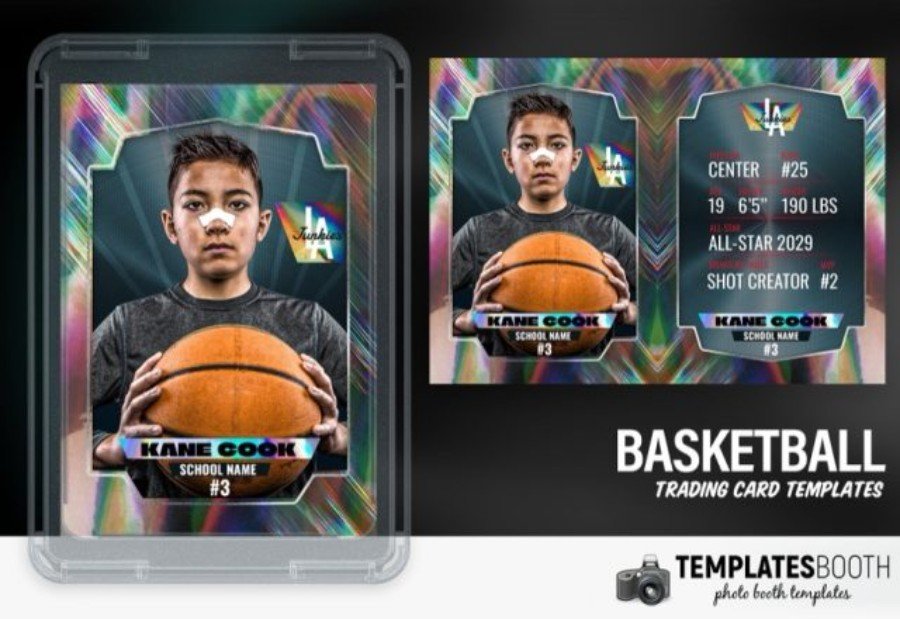
Bright foil effects and a clean, pro-card layout make this Basketball Trading Card Photo Booth Template an easy win for busy basketball events. Built for Photoshop, it gives photo booth business owners a repeatable setup: place the athlete photo, then personalize the front and back with name, school/team, number, position, and quick stats (height/weight, highlights, awards, or a signature skill). The modern frame keeps attention on the portrait while the prismatic background adds instant “pack-pulled” impact. Great for school programs, tournament weekends, team banquets, spirit nights, and fan communities that want consistent, collectible-ready cards across a full roster.
15. Soccer Trading Card Photo Booth Template
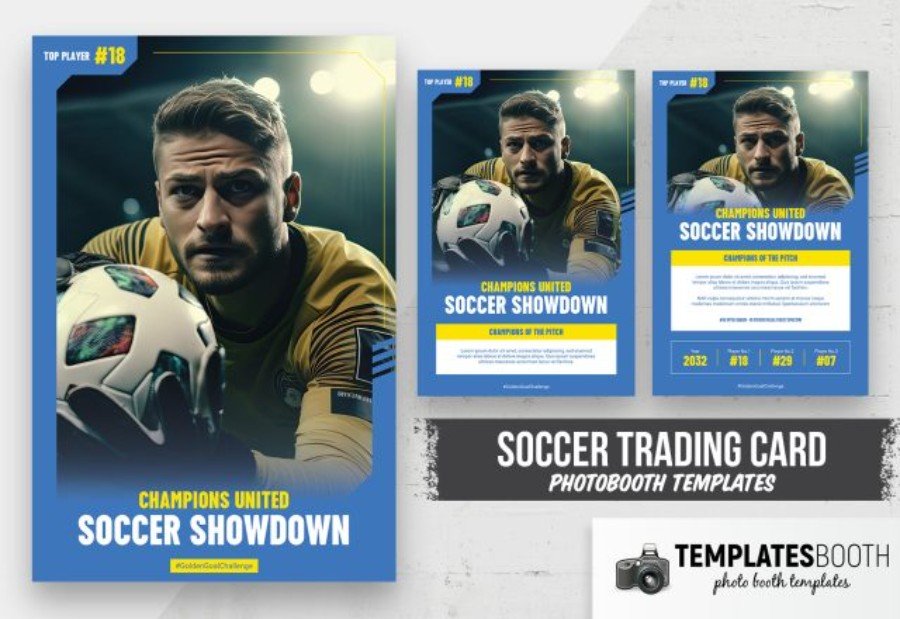
From kickoff to final whistle, this Soccer Trading Card Photo Booth Template gives your event photos a broadcast-ready finish. Designed for Photoshop, it features a dramatic, full-bleed hero portrait, bold headline typography, and a clean info band that’s perfect for team names, match themes, and sponsor or school details. The reverse side keeps things organized with tidy blocks for stats, dates, and quick notes—ideal for printing stacks at tournaments or delivering digital cards after the event. Photo booth business owners, event planners, and school programs can customize numbers, colors, and text quickly to produce consistent cards for an entire squad or fan activation.
Final Thoughts on Trading Card Template Picks
The right sports trading card template does more than look good—it streamlines your workflow and helps every guest feel like a featured athlete. From football and basketball to hockey and racing, these designs are built for quick personalization in Photoshop or Canva, so you can turn a single photo into a clean, collectible sports photo booth template output in minutes. If you’re producing a full roster, look for consistent front/back layouts, clear stat fields, and strong typography that prints crisply for a professional finish.
Next step: choose 2–3 favorites, test them with your lighting and print setup, and create a reusable “card station” process for your next trading card photo booth booking. Want to promote your booth package alongside the cards? Add matching event marketing using the Fight Night sports event template, or build a seasonal campaign around deals with the Cyber Monday flyer template. With the right template, your photo booth sports card becomes the souvenir everyone takes home.